
Why My Reaction Time Feels Delayed When Gaming | Complete Expert Guide

Why My Reaction Time Feels Delayed When Gaming (Complete Guide)

Why My Reaction Time Feels Delayed When Gaming (Complete Guide)

Understanding the technical, cognitive, and gameplay factors behind delayed reactions in competitive gaming

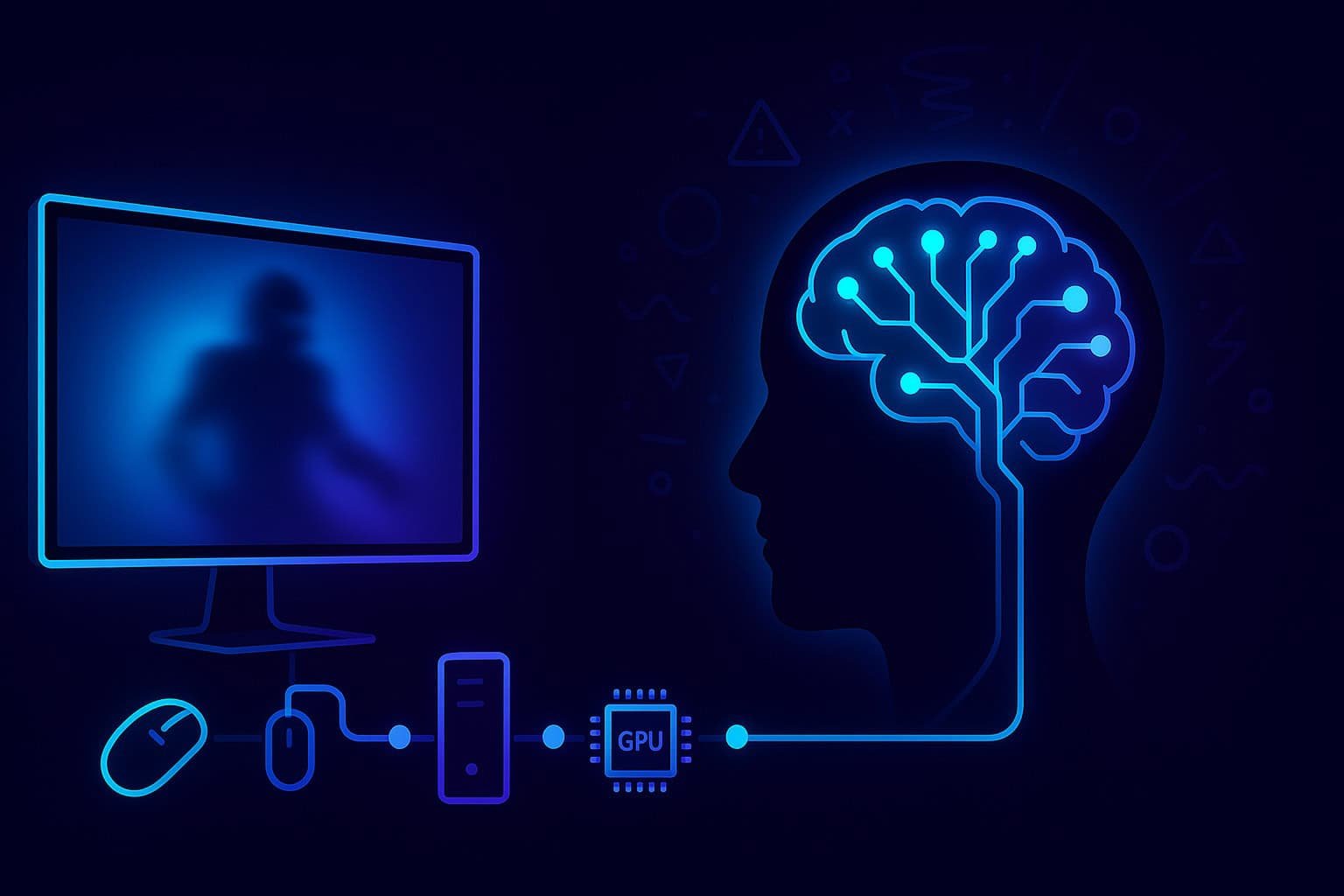
Many gamers experience moments when their reactions feel slower than usual—even if their equipment is good, their internet is stable, and they know they are capable of performing better. This sensation of being "late," "behind," or "one step slower" is extremely common in competitive titles. Yet the reasons behind this delayed feeling are far more complex than simply "bad reaction time."

In reality, delayed reactions in gaming arise from a mixture of technical, cognitive, visual, and gameplay-specific factors. This guide explains the full picture behind those moments when your reactions feel delayed and provides a structured approach to improving them in a scientifically grounded, practical way.

1. The Real Reason Reaction Time Feels Delayed in Games

1.1 "Feel vs Real Delay" — Your Brain Can Mislead You

There is an important distinction between actual reaction time and perceived reaction time. Your brain sometimes generates the feeling of being slow, even when your measured response time is normal.

This occurs because reaction time is a multi-stage process involving:

Stage Process Potential Delays
Visual Detection Eyes detect enemy movement or threat Visual clutter, poor contrast, eye fatigue
Information Processing Brain interprets what was seen Cognitive overload, stress, decision fatigue
Decision-Making Choosing appropriate response Indecision, lack of game sense, overthinking
Motor Output Signals sent to muscles for action Hardware latency, input lag, muscle fatigue

Key Insight: If any part of this chain is stressed, overloaded, or interrupted, your perception of speed slows down—even if your physical reaction is unchanged. This is why gamers often say: "I reacted, but nothing happened" or "I saw him, but my brain froze for a split second."

2. Technical Causes of Delayed Reaction Time in Gaming (Hardware)

A significant portion of "slow feeling" can be traced to technical delays. These delays are measurable, accumulate in milliseconds, and directly affect what you see and feel on screen.

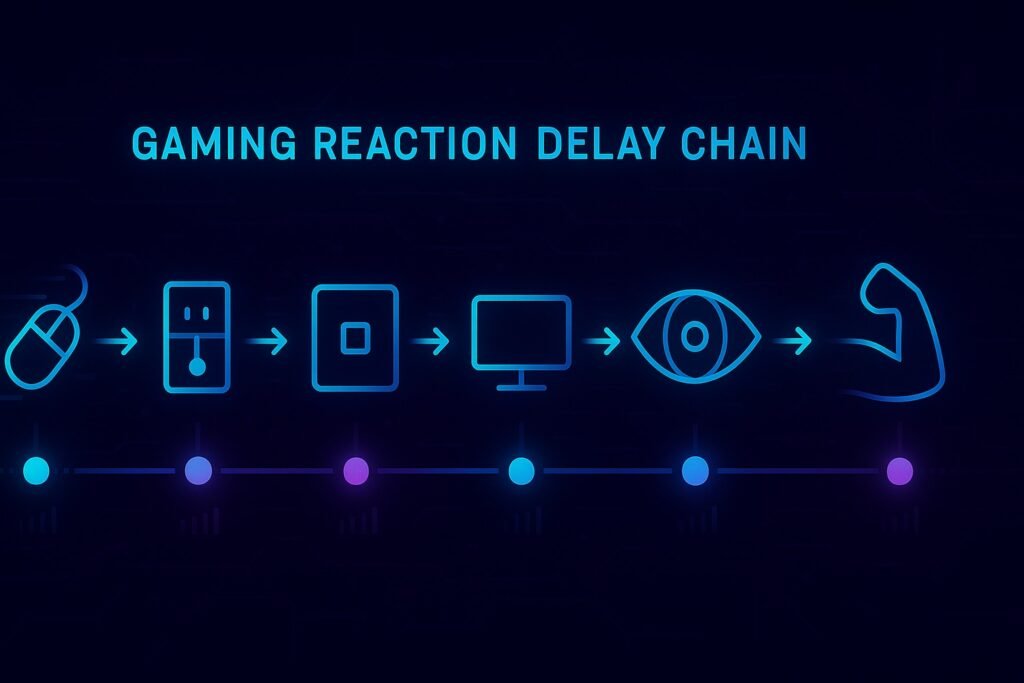
2.1 Input Lag: The Invisible Delay Chain

Input lag refers to the delay between your action and the game's response. It includes:

  • Mouse or controller latency
  • USB polling
  • CPU processing
  • GPU rendering
  • Display processing
  • Screen refresh
  • Engine frame timing

Even small gaps (3–10 ms) add up. A combined delay of 40–70 ms is enough to create a clear sensation of being "slow" in fast-paced FPS titles.

🖱️

2.2 Polling Rate and Peripheral Latency

If your mouse or keyboard uses a low polling rate (e.g., 125Hz), it updates your PC only every 8 ms. At 1000Hz, updates happen every 1 ms.

Higher polling rates reduce:

  • Input delay
  • Inconsistency
  • Micro-stutters in aim or movement

Gamers often underestimate how much this affects responsiveness.

🖥️

2.3 Refresh Rate and Frame Rate Desynchronisation

Monitor Refresh Rates:

  • 60Hz monitor refreshes every 16.6 ms
  • 144Hz monitor refreshes every 6.9 ms
  • 240Hz monitor refreshes every 4.1 ms

Higher refresh rates:

  • Show enemies sooner
  • Reduce blur
  • Provide earlier visual cues
  • Improve reaction window quality

Test Your Gaming Reaction Time

This simulation tests your reaction time in a gaming-like scenario. Try to click as soon as the target appears!

Click to Start
0 ms
Current
0 ms
Best
0 ms
Average

Recent Attempts:

3. Cognitive and Brain Causes of Delayed Reaction Time (Mental Factors)

Beyond hardware, many delays originate from how your brain processes visual information in demanding environments.

🧠

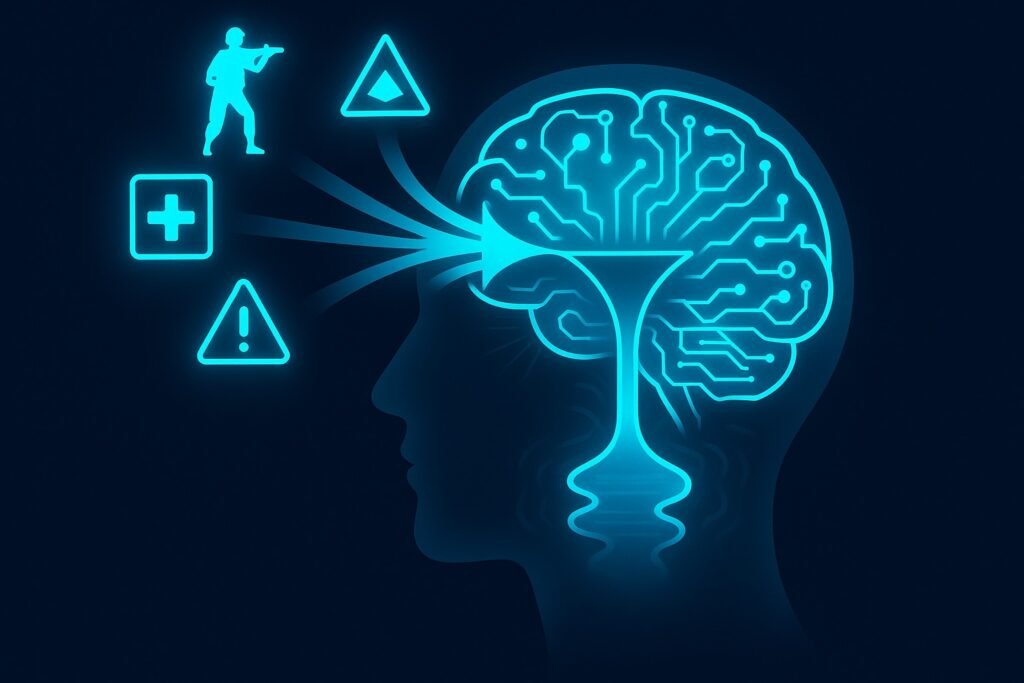
3.1 Attention Bottleneck Theory

Your brain can only process a limited number of variables at once. In a fast-paced match, you must track:

  • Enemy positions
  • Minimap information
  • Team status
  • Ability cooldowns
  • Movement cues
  • Sound cues

When the information load exceeds capacity, reaction time feels slower because the decision-making stage is delayed.

👁️

3.2 Visual Processing Overload

Games with:

  • Bright textures
  • Complex environments
  • Many particle effects
  • Cluttered UI

force your eyes and brain to work harder. This reduces the speed at which you recognise threats.

😰

3.5 Emotional Arousal: Tilt, Stress, and Nervousness

Stress increases cognitive noise. During:

  • Clutch moments
  • Ranked matches
  • Long losing streaks

your frontal cortex becomes overloaded, slowing decision speed and producing a delayed feeling.

6. Benchmark: Real vs Perceived Reaction Time

This section clarifies what typical reaction times truly are and why your perception may differ.

Skill Level Typical Reaction Time Common Causes of Perceived Delay
Beginner 300–350 ms Overthinking, poor anticipation, visual overload
Intermediate 250–300 ms Inconsistent focus, technical limitations
Experienced 200–250 ms Minor hardware delays, occasional cognitive overload
High-Level Players 150–200 ms Network latency, prediction errors
Professional Tier 120–160 ms Minimal - usually technical or network related

Research Insight: Humans begin feeling lag at ~50–70 ms and begin noticing visual delay at ~15–20 ms. Therefore, even minor technical delays create large subjective impressions of being slow.

8. How to Fix Delayed Reaction Time in Gaming (Complete Action Plan)

⚙️

Technical Fixes

  • Disable V-Sync
  • Set mouse to 1000Hz polling
  • Use a high-refresh-rate monitor
  • Lock FPS for stable frame pacing
  • Reduce post-processing effects
  • Optimise graphics settings for clarity
  • Disable enhanced pointer precision
  • Update drivers
  • Close background latency-causing apps
🧠

Cognitive and Brain Fixes

  • Use warm-up routines to activate neural pathways
  • Reduce information overload by simplifying HUD elements
  • Practice visual scanning
  • Take targeted short breaks every 45–60 minutes
  • Use slow breathing techniques to reduce emotional stress
  • Build situational awareness through consistent practice
  • Avoid overstimulation and long binge sessions
🎮

Gameplay-Specific Fixes

  • Improve crosshair placement for high-probability angles
  • Use angle isolation during peeks
  • Study enemy movement patterns
  • Read animation cues (walk, peek, strafe timings)
  • Reduce unnecessary movement that exposes angles
  • Practise common duel scenarios
  • Strengthen map knowledge to reduce hesitation

9. Quick Checklist: Why Your Reaction Feels Delayed Today

Check the factors that might be affecting your reaction time right now:

Frequently Asked Questions

Why do my reactions feel slower in competitive matches than in practice? +

This common experience has several scientific explanations:

  • Increased Cognitive Load: In real matches, you're processing more variables simultaneously - enemy positions, team coordination, objective timing, and strategic decisions. This overloads working memory and slows decision-making.
  • Emotional Arousal: Competitive pressure increases cortisol and adrenaline, which can narrow focus and reduce processing efficiency. Studies show performance anxiety can increase reaction time by 15-25%.
  • Unpredictability: Practice scenarios are predictable; real opponents use unpredictable movement and strategies, requiring more cognitive resources to process.
  • Visual Complexity: Match environments have more visual clutter, particle effects, and UI elements competing for attention.

The solution involves both mental training (stress management, focus techniques) and gameplay practice (situational awareness, pattern recognition).

How much does monitor refresh rate actually affect reaction time? +

Monitor refresh rate significantly affects both actual and perceived reaction time:

  • 60Hz to 144Hz: Reduces display latency by ~10ms and provides a noticeable improvement in target tracking and visual clarity.
  • 144Hz to 240Hz: Further reduces latency by ~3ms and provides smoother motion for highly competitive players.
  • Beyond 240Hz: Diminishing returns for most players, but beneficial for professional esports athletes.

The real benefit comes from the combination of higher refresh rates and stable frame rates. A 144Hz monitor with consistent 144+ FPS provides:

  • Earlier visual information (you see enemies sooner)
  • Reduced motion blur (clearer target identification)
  • Smoother tracking (better aim consistency)
  • Reduced eye strain during long sessions

For most competitive gamers, 144Hz is the sweet spot for price-to-performance ratio.

Can reaction time training apps actually improve my in-game performance? +

Reaction time apps can help, but with important limitations:

What they improve:

  • Basic visual reaction time to simple stimuli
  • Hand-eye coordination for clicking tasks
  • Consistency in simple motor responses
  • Confidence in your raw reaction capabilities

What they don't improve:

  • Game-specific decision making
  • Target identification in complex environments
  • Movement prediction and anticipation
  • Stress management during actual gameplay
  • Game sense and situational awareness

The most effective approach combines specific reaction training with actual gameplay practice. Use reaction apps for 5-10 minutes as a warm-up, then spend most of your practice time in the actual game or game-specific training scenarios.

Why do I sometimes react instantly while other times feel incredibly slow? +

This inconsistency has several potential causes:

  • Attention Cycling: Your focus naturally waxes and wanes in 90-120 minute cycles. During low-attention phases, reaction time can slow by 20-40%.
  • Mental Fatigue: As you play longer sessions, decision fatigue accumulates, making your brain slower at processing visual information and choosing responses.
  • Variable Cognitive Load: Some game situations require processing more information than others. When multiple enemies appear simultaneously or complex abilities are used, your brain may become overloaded.
  • Emotional State Fluctuations: Moments of frustration, anxiety, or overexcitement can significantly impact reaction consistency.
  • Physical Factors: Minor changes in posture, hand position, or even hydration levels can affect performance minute-to-minute.
  • Predictive vs Reactive Mode: When you correctly predict enemy actions, you react faster. When surprised, you rely on slower pure reactions.

Improving consistency involves regular breaks, maintaining physical comfort, and developing better game sense to spend more time in predictive rather than reactive mode.

⚠️ Important Note

This article is for informational and educational purposes related to gaming performance. The content focuses on common experiences in gaming and general cognitive principles. If you're experiencing significant, persistent issues with reaction time, coordination, or cognitive function in daily life (not just gaming), please consult with a healthcare professional for proper evaluation.

“Vector infographic of the full gaming reaction delay chain showing the path from input device through PC latency, display output, and brain processing.”
The complete delay chain that causes gaming reactions to feel slow — from hardware signals to brain processing.
How cognitive overload, visual clutter, and attention limits create internal reaction delays during gaming.
“Comparison vector showing actual reaction time with clear neural signals versus perceived delayed reaction time with blurred visual inputs and slowed neural pathways.”
Why reaction time can feel slow even when your real reflexes are unchanged — the difference between perceived and actual speed.

Ready to Train Your Brain?

Challenge your cognitive skills with our scientifically-designed brain training games. Improve memory, reaction time, and mental agility.

Reaction Time Test

Measure and improve your reflexes with precise timing challenges.

Play Now
🗣️

Verbal Memory Test

Exercise your language memory and word recall abilities.

Play Now
🧠

Chimp Memory Test

Challenge your working memory with complex pattern sequences.

Play Now
🔢

Number Memory Test

Push your digit span limits with numerical memory challenges.

Play Now

1 thought on “Why My Reaction Time Feels Delayed When Gaming | Complete Expert Guide”

Leave a Comment